
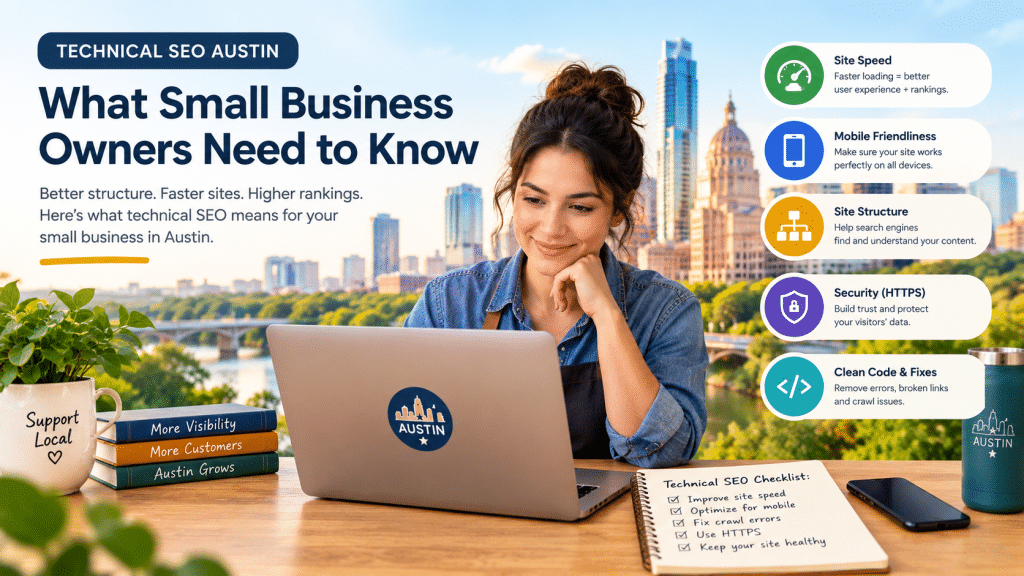
Technical SEO is the behind-the-scenes work that lets Google and AI tools crawl, understand, and trust your website. For Austin business owners, it is often the missing piece. You can publish great content and still not rank if your pages load slowly, break on phones, or are accidentally hidden from search. If you are weighing this against a full review, my guide to an SEO audit in Austin shows how technical checks fit into the bigger picture.
Not sure if your site has hidden technical problems? Book a free technical SEO review and we will walk through what is happening behind the scenes.
Technical SEO means making your site easy for search engines and AI tools to crawl, load, index, and understand. The main areas are page speed (Core Web Vitals), mobile usability, indexing, site structure (sitemaps, canonicals, schema markup), and security. Fix anything blocking indexing first, then speed and mobile.
What is technical SEO?
Technical SEO is everything you do to your website’s code, settings, and infrastructure so search engines can access and understand it. It is different from writing content or building links. Think of it as the foundation of a house: visitors never notice it when it is solid, and everything above it wobbles when it is not.
Technical SEO covers:
- Crawlability: can search engines reach your pages?
- Indexability: are the right pages allowed into search results?
- Speed and stability: do pages load quickly and behave well?
- Mobile usability: does the site work well on a phone?
- Structure: sitemaps, canonical tags, internal links, and structured data.
- Security: HTTPS and safe, error-free pages.
Google’s own SEO Starter Guide treats these basics as the starting point for any site.
Why does technical SEO matter for an Austin business?
Because a page that cannot be crawled or indexed cannot rank, no matter how good the writing is. Google’s guidance on AI features in Search makes the same point from the other side: a page needs to be indexed and eligible to show a snippet before it can be a supporting link in AI Overviews or AI Mode.
Austin is a competitive market. Keyword research estimates put “austin seo” at roughly 8,100 searches a month, and small businesses in every industry, from law firms to restaurants to SaaS startups, are fighting for the same results. When two sites have similar content, the one with the healthier technical foundation has the edge. If you want to see how I approach this for local businesses, take a look at my SEO services in Austin.
What are Core Web Vitals, and what scores should I aim for?
Core Web Vitals are three measurements of how fast, responsive, and stable your pages feel to real visitors. Google’s thresholds, documented on web.dev, are:
| Metric | What it measures | Good | Poor |
| LCP (Largest Contentful Paint) | How fast the main content appears | 2.5 seconds or less | Over 4 seconds |
| INP (Interaction to Next Paint) | How quickly the page responds to taps and clicks | 200 ms or less | Over 500 ms |
| CLS (Cumulative Layout Shift) | How much the page jumps around while loading | 0.1 or less | Over 0.25 |
These are judged at the 75th percentile of real visits, so most of your visitors need a good experience for a page to pass. INP replaced the older First Input Delay metric on March 12, 2024. Google explains how these signals fit into search in its Core Web Vitals documentation.
How do I check my scores? Use PageSpeed Insights or the Core Web Vitals report in Google Search Console. Real-user (field) data matters more than a single lab test.
What usually fixes slow pages? For website speed optimization, start with these:
- Compress and resize images, especially the large image at the top of the page.
- Do not lazy-load that top image. It should load first.
- Remove plugins, scripts, and tracking tags you do not need.
- Set width and height on images and embeds so the page does not jump (this improves CLS).
- Use reliable hosting and caching.
How do I know if my site is mobile-friendly for Google?
Google uses the mobile version of your pages for indexing and ranking, so the mobile version is the one that counts. This is called mobile-first indexing, and it is explained in Google’s mobile site best practices. Google recommends responsive design, which serves the same page to every device and adjusts the layout to fit the screen, because it is the easiest setup to maintain.
A quick mobile check:
- Open your key pages on a real phone. Can you read, tap, and fill out forms without pinching or zooming?
- Make sure the mobile page shows the same main content as desktop. Content hidden on mobile may be missed.
- Avoid loading important content only after a swipe or tap. Google has warned that Googlebot does not trigger those interactions.
- Use the same robots meta tags on mobile and desktop.
How do I check whether Google can index my pages?
Use Google Search Console. It tells you which pages are indexed and why others are not. Here is a simple routine:
- Open the Page indexing report and look at the “Not indexed” reasons.
- Use URL Inspection on your most important pages (home, services, contact, top blog posts).
- Check your robots.txt file for rules that block pages or folders by mistake.
- Check for accidental noindex tags, which are common after a redesign or when a site moves from staging to live.
- Confirm your XML sitemap lists your important pages and is submitted in Search Console.
- Look for canonical tags pointing to the wrong page, and for long redirect chains or broken links.
What is the difference between robots.txt and noindex? Robots.txt controls whether crawlers may visit a page. Noindex tells search engines not to show it in results. They are not interchangeable. According to Google’s noindex documentation, a page must be crawlable for the noindex rule to be seen. If you block a page in robots.txt and add noindex, Google may never read the noindex. Google also does not support noindex rules placed inside robots.txt.
What is schema markup, and does it help with AI search?
Schema markup (structured data) is code that labels what your page is about, such as a business, an article, an author, or a set of FAQs. Google says it uses structured data to understand page content, as described in its structured data introduction. For local businesses, the LocalBusiness structured data guide shows which details to include, such as name, address, phone, and hours.
Schema is not a ranking guarantee, and it is not a magic switch for AI answers. What it does is remove guesswork. When your business name, location, services, and content type are labeled clearly and match what your Google Business Profile says, machines have less room to misread you.
Does technical SEO affect my visibility in ChatGPT, Perplexity, and Google AI Overviews?
Yes, indirectly, because AI tools can only use what they can access and understand. Here is what the official documentation says:
- Google: Pages need to be indexed and snippet-eligible to appear in AI Overviews and AI Mode, and there are no additional technical requirements, per Google’s guide for site owners. The same guide notes these features may run several related searches (query fan-out), so a page that clearly answers related questions has more chances to be useful.
- ChatGPT: OpenAI uses separate crawlers for different jobs. Its bot documentation explains that OAI-SearchBot supports ChatGPT search, while GPTBot is for model training. Blocking GPTBot does not remove you from ChatGPT search, but blocking OAI-SearchBot can.
- Perplexity: Perplexity describes its crawlers in its own bot documentation.
What should I check? Open your robots.txt file and confirm you are not blocking search-focused crawlers by accident. Then ask your host or firewall provider whether bot-protection rules are turning away legitimate crawlers. Finally, make sure your main content appears in the page’s HTML rather than only after scripts or clicks.
Technical health is only half the story. Clear question headings, direct answers, and cited facts are what content does for AI visibility. My SEO audit guide covers that side.
What is the difference between technical SEO and content SEO?
Technical SEO decides whether your site can be crawled and understood. Content SEO decides what you say once it can. You need both.
| Technical SEO | Content SEO | |
| Main question | Can search engines and AI tools access and understand my pages? | Do my pages answer what people are searching for? |
| Examples | Speed, mobile, indexing, sitemaps, schema | Page copy, headings, FAQs, topic coverage |
| Typical fix | Settings, code, hosting, redirects | Writing, restructuring, adding missing topics |
| Guide | This post | Keyword research for small business |
A strong content plan on top of weak technical health tends to underperform. A perfect technical setup with thin content has nothing to rank. If you run an online brand instead of a local shop, see how this plays out on my page for personal brands and online businesses.
Are WordPress, Shopify, and WooCommerce sites different for technical SEO?
The principles are the same, but each platform has its own common problems. Keyword data shows real search demand for terms like “wordpress seo austin,” “shopify seo austin,” and “woocommerce optimization austin,” so this comes up often.
- WordPress: slow themes, too many plugins, duplicate tag and archive pages, and the “Discourage search engines” setting being left on after launch.
- Shopify: heavy apps that slow the theme, duplicate product URLs from collections, and thin collection pages.
- WooCommerce: filtered or faceted URLs that create endless near-duplicate pages, cart and checkout pages that should not be indexed, and missing product schema.
Whatever platform you use, check speed, mobile layout, and indexing first.
Do I need a developer to fix technical SEO issues?
Sometimes. Many fixes are safe to do yourself, and others need development help.
You can usually handle:
- Compressing images.
- Updating or removing plugins.
- Turning off a “discourage search engines” setting.
- Submitting a sitemap in Search Console.
- Fixing broken internal links.
You will likely need a developer for:
- Heavy JavaScript that hides content from crawlers.
- Slow server response times.
- Template-level schema markup.
- Complex redirect maps after a redesign or migration.
How often should I check my technical SEO?
Do a light monthly check in Search Console and a full technical review about once a year. Also review after a redesign, platform change, hosting move, or sudden traffic drop. The Copy Craft Marketer blog will keep adding guides like this one as the search landscape changes.
Technical SEO checklist for Austin small businesses
- Site loads over HTTPS with no mixed-content warnings.
- LCP 2.5 seconds or less, INP 200 ms or less, CLS 0.1 or less on your key pages.
- Pages look and work well on a phone, with the same main content as desktop.
- Important pages are indexed (check the Page indexing report).
- No accidental noindex tags or robots.txt blocks.
- XML sitemap submitted and up to date.
- Canonical tags point to the right versions.
- No long redirect chains or broken links.
- Structured data added for your business, articles, and FAQs.
- Search-focused AI crawlers (such as OAI-SearchBot) are not blocked by accident.
Frequently Asked Questions
“What is technical SEO, and why does it matter for an Austin business website?”
Technical SEO covers how well search engines can crawl, load, index, and understand your site. It matters because even excellent content will underperform if the technical foundation is weak.
“How do I know if my website has technical SEO problems?”
Common signs include slow page loads, a clumsy mobile experience, and important pages missing from Google. Google Search Console’s Page indexing report and PageSpeed Insights are the fastest places to look.
“What are good Core Web Vitals scores?”
LCP of 2.5 seconds or less, INP of 200 milliseconds or less, and CLS of 0.1 or less, measured at the 75th percentile of real visits, according to web.dev.
“Does technical SEO affect whether ChatGPT can find my business?”
It can. ChatGPT search uses OpenAI’s OAI-SearchBot, and blocking that crawler may keep your pages out of its answers. A technically healthy, crawlable site is more likely to be understood, though no one can guarantee a citation.
“Should I block GPTBot on my website?”
That is a business decision about model training. According to OpenAI’s documentation, GPTBot is separate from OAI-SearchBot, which supports search. Blocking GPTBot alone does not remove you from ChatGPT search.
“What is the difference between technical SEO and on-page SEO?”
Technical SEO deals with site infrastructure such as speed, indexing, and structure. On-page SEO deals with the content and elements on each page, such as headings, copy, and internal links.
“Do I need a developer to fix technical SEO issues?”
Some fixes, like compressing images or updating plugins, are beginner-friendly. Deeper problems, such as JavaScript rendering or complex redirects, usually need a developer.
“How much does technical SEO cost in Austin?”
It depends on site size, platform, and the number of issues found. Ask for a written scope and a sample report so you can compare providers fairly.
Final Thoughts
Technical SEO is not the flashiest part of a search strategy, but it is one of the most important. A healthy site gives your content, local signals, and AI visibility a real chance to perform.
Want a clear picture of your own site’s technical health? Contact Copy Craft Marketer and we will walk through what is happening under the hood. You can also explore the SEO services in Austin or learn about Rish before you reach out. For the wider view, read SEO Audit Austin: What a Real Audit Should Include.